An empty cottage can look perfectly secure from the road.
The windows are closed. The lights are off. Nothing appears out of place.
But if the back door was left unlocked, the peaceful appearance does not mean much.
Accounting firms can fall into the same trap during the summer.
Tax season is over. Vacation notices are multiplying. The office is quieter. Someone has finally cleaned the lunchroom fridge.
Everything feels calmer.
Unfortunately, cybercriminals do not follow the accounting calendar.
A quieter office can make certain security gaps harder to notice. Fewer people are watching. Responsibilities are being covered temporarily. Old accounts may still be active.
The danger is not always a dramatic attack.
Sometimes it is a small opening nobody remembered to close.
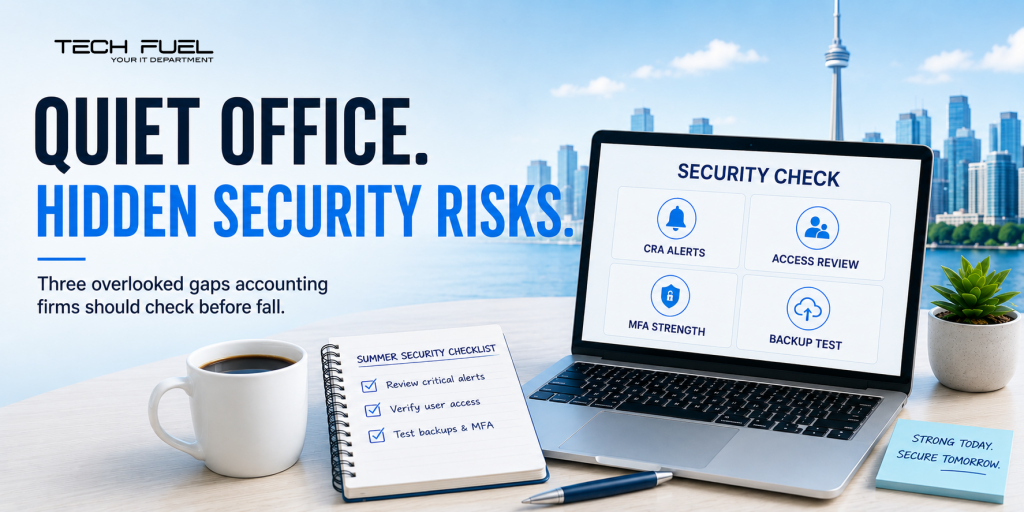
Risk #1: CRA Notifications Nobody Owns
Your firm may manage access to dozens or hundreds of client accounts through Represent a Client.
That means somebody must notice when something changes.
The CRA has warned that scammers may flood a victim’s inbox with junk after gaining account access. The goal is to bury legitimate security notifications beneath hundreds of meaningless messages.
The warning arrives.
Nobody sees it.
This becomes more likely during vacation season. The employee who normally monitors the inbox is away. Their backup assumes someone else is handling it.
Every firm should answer three questions:
Who receives CRA security notifications?
Who checks them when that person is away?
What happens when a suspicious change is found?
If the answer is, “We would probably figure it out,” the process is not finished.
Risk #2: Access That Outlived Its Owner
Summer is full of staffing changes.
Co-op terms end. Contractors finish projects. Temporary employees leave. People move into different roles.
Their access does not always leave with them.
An old Microsoft 365 account may remain active. A former vendor may still know a shared password. An employee may retain permissions they no longer need.
Most of this is administrative clutter.
But clutter becomes dangerous when it opens a path to client information.
Review every employee, contractor, vendor and administrator with access to your systems.
Do not ask whether they needed access six months ago.
Ask whether they need it today.
Old accounts should be disabled. Unused licences should be removed. Permissions should match current responsibilities.
Access should have an expiry date.
Not a retirement plan.
Risk #3: MFA That Has Become a Reflex
Multi-factor authentication is important.
But attackers have become better at tricking people into approving fraudulent sign-ins.
They may trigger repeated prompts and hope the employee eventually taps “approve” just to make them stop. They may create a convincing fake login page or call while pretending to be technical support.
The danger comes when approving an MFA request becomes automatic.
Tap. Approve. Back to work.
Ask whether the accounts holding your most sensitive information use the strongest protection available—especially Microsoft 365 administrators, cloud storage and remote-access systems.
“Do we have MFA?” is no longer enough.
The better question is, “How strong is it?”
The 30-Minute Summer Security Check
Confirm which inboxes receive CRA and security notifications. Review authorized representatives and administrator accounts. Remove access belonging to former staff and vendors.
Check how Microsoft 365 administrators are protected. Confirm suspicious sign-ins are monitored. Ask your IT provider to restore a real file from backup.
These are small tasks.
That is precisely why they get postponed.
Schedule a 10-minute discovery call with us to review the quiet security gaps that may be sitting inside your firm.
Because a calm office is a wonderful thing.
An unmonitored one is not.
Call us at 1-855-737-8277, book a quick Discovery Call, or view our I.T. Buyers Guide.