You would never accept a financial statement where every note said, “Probably fine.”
You want evidence.
You want to know what was reviewed, what was found and what needs attention.
Your IT review should work the same way.
Unfortunately, many firms receive a dashboard full of green circles, several impressive acronyms and very few useful answers.
A proper IT review should tell you where the firm stands, what needs attention and what it will cost.
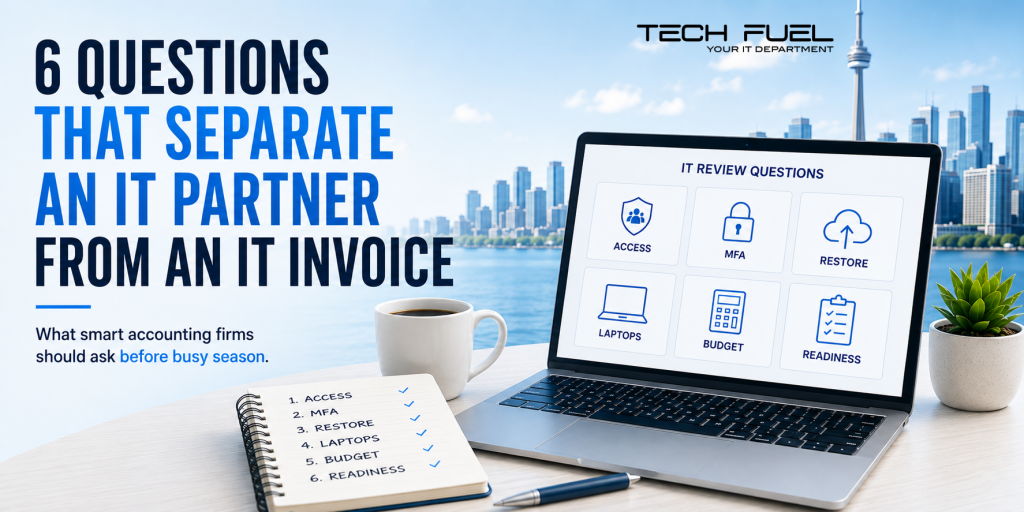
Here are six questions to ask.
- Who Has Access to Our Systems Today?
Not last year.
Today.
Ask for a current list covering employees, contractors, vendors, administrators and shared accounts.
Look closely at anyone who has left, completed a project or changed roles.
Your provider should explain who can access Microsoft 365, cloud storage, accounting applications and sensitive client files.
“We think that account belongs to the old bookkeeper” is not a security strategy.
- Which Accounts Still Use Weaker Sign-In Methods?
Having MFA is good.
Knowing what kind protects your most important accounts is better.
Prioritize email, remote access, cloud storage, accounting applications and administrator accounts.
Your provider should identify what is properly protected, what is not and what should be upgraded first.
“MFA is turned on” should begin the conversation, not end it.
- Can You Restore One of Our Client Files Right Now?
A report saying “backup completed” is comforting.
A successfully restored file is evidence.
Ask your provider to recover a real file.
Then ask:
When was the last recovery test?
What was restored?
How long did it take?
Are Microsoft 365 and cloud files included?
A backup is a copy.
Recovery is the ability to put that copy back to work.
- What Happens if a Partner’s Laptop Vanishes on the GO Train?
A partner steps off the train and realizes the laptop bag stayed behind.
Now what?
Could someone open locally stored files? Is the drive encrypted? Can the device be locked or wiped remotely? Would the firm know it was missing?
Your provider should answer without beginning with, “We would have to check.”
Portable devices carry portable risk.
The protection must travel with them.
- What Should We Budget for Before Year-End?
Technology expenses should not arrive like surprise dinner guests.
Your provider should help you plan for ageing computers, expiring warranties, software renewals, storage growth and security improvements.
You should know what is urgent, what can wait and what must be completed before busy season.
A project that looks manageable in October can be a dreadful idea in March.
- What Must Be Fixed Before February?
Ask your provider to identify any systems, security risks or capacity problems that could hurt the firm during peak season.
Are computers approaching the end of their useful life? Is remote access struggling? Are important applications unsupported? Have backups been tested?
You need time to fix these problems properly.
February is not the month to discover that a major upgrade requires downtime, retraining and three software vendors.
One Quick Win
Create one onboarding and offboarding checklist.
When someone joins, cover devices, licences, permissions, MFA, training and software access.
When someone leaves, disable accounts, recover equipment, transfer files, remove forwarding rules and change shared passwords.
Simple?
Yes.
Often missed?
Also yes.
Schedule a 10-minute discovery call with us to review the questions your current IT provider should be answering.
Because a good IT partner should not leave you with more acronyms.
They should leave you with more confidence.
Call us at 1-855-737-8277, book a quick Discovery Call, or view our I.T. Buyers Guide.