
September has a way of exposing everything summer allowed us to ignore.
Calendars fill up. Vacation schedules disappear. Client projects begin moving again. Someone realizes the printer has been making that noise since June.
For an accounting firm, fall is more than the end of cottage season.
It is the runway to tax season.
The technology work completed now determines whether your firm enters the new year organized—or spends January replacing computers, untangling old accounts and hoping nothing breaks.
Tax Season Readiness Begins in the Fall
Many firms wait until the first busy weeks of the year to think seriously about technology.
By then, nobody wants disruption.
Replacing an ageing computer feels too risky. Changing permissions gets postponed. Backup testing is delayed because employees are working against deadlines.
September gives you room to plan, test and make improvements before the calendar becomes hostile.
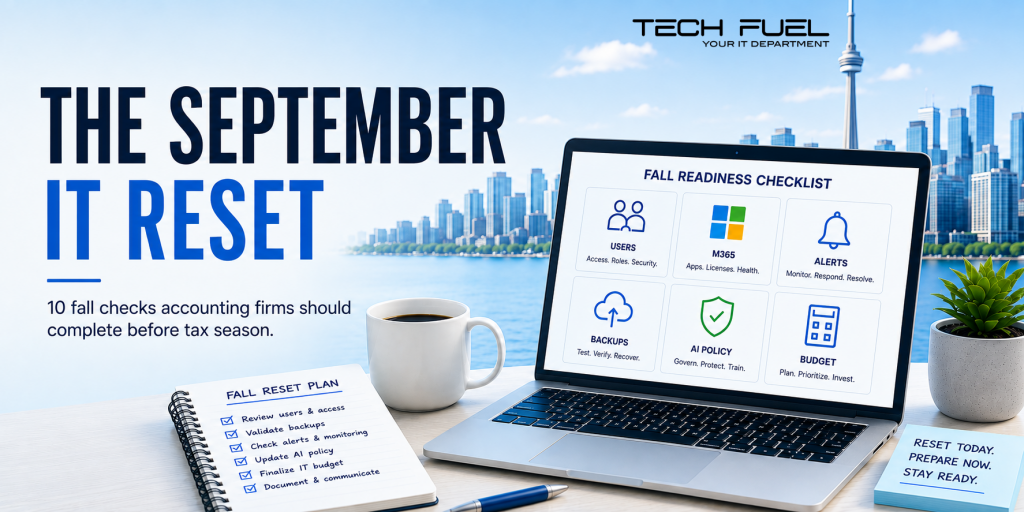
Use the next partner meeting to complete these ten items.
- Review Active Users
Confirm which employees, contractors and vendors have access to firm systems.
Remove accounts belonging to people who have left or no longer require the same permissions.
- Remove Unused Microsoft 365 Accounts
Inactive accounts create unnecessary cost and risk.
Every paid licence should have a current owner and a legitimate purpose.
- Separate Administrator Accounts
Administrator access should not be used for routine email, browsing and daily work.
Powerful accounts deserve stronger protection and a shorter leash.
- Check Notification Inboxes
Confirm CRA and security alerts are going to active, monitored addresses.
Then decide who checks them when the usual person is away.
- Review Represent a Client Permissions
Look for former employees, outdated representatives and access that no longer matches current responsibilities.
- Restore a Real File
Do not settle for a green checkmark.
Ask for an actual file to be recovered and record how long it takes.
Your backup should prove itself before your firm needs it.
- Confirm Laptop Protection
Check that laptops use encryption and remote-management controls.
A lost device should not automatically become lost client information.
- Approve a Basic AI Policy
Give employees clear rules about approved tools, confidential information, human review and accidental disclosure.
AI is already entering firms.
The rules should not arrive six months later.
- Plan Year-End Purchases
List ageing computers, expiring warranties, renewals, storage needs and security improvements.
It is easier to approve a sensible plan than explain an emergency invoice.
- Book the Pre-Tax-Season Review
Put the date on the calendar now.
Do not leave it somewhere between “after year-end” and “before things get crazy.”
Things always get crazy first.
Why This Matters
Accounting firms hold financial and personal information that clients cannot simply replace.
Protecting it requires more than buying security software. It requires access controls, encryption, updates, employee training and regular testing.
A checklist does not create perfect security.
It does force the right conversations to happen.
Who has access? What has been tested? Which devices are protected? What needs to be purchased? Who owns the next step?
Those questions are easier to answer in September than during a March deadline.
Schedule a Fall Readiness Review with Tech Fuel to identify the access, security, backup and budgeting work your firm should complete before year-end.
Because September is the perfect time to reset.
February is a terrible time to remember what you forgot.
Call us at 1-855-737-8277, book a quick Discovery Call, or view our I.T. Buyers Guide.